One Year with the HHKB: A Mini Review
The keyboard is the most important tool for a programmer. Choose wisely.
I’m a keyboard nerd. I’ve owned several great keyboards over the years, starting with the legendary Das Keyboard 3 Ultimate (blank keys and Cherry MX Blue switches – my co-workers loved me), then moving through the Das Keyboard 4, the excellent KUL ES-87, and eventually landing on what I considered my dream keyboard: the Leopold FC660C.
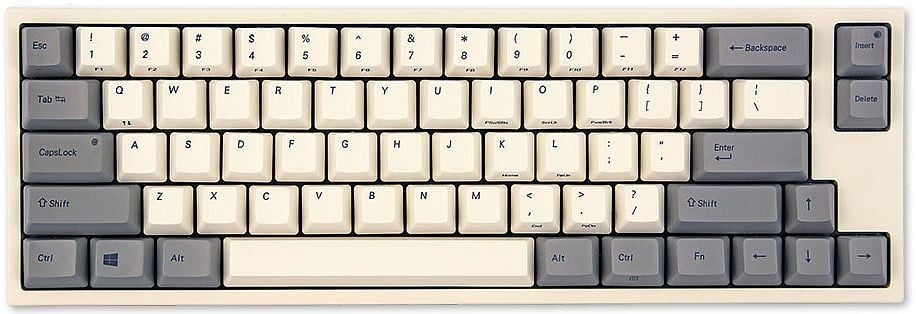 The Leopold FC660C – my daily driver for almost a decade.
The Leopold was a revelation. It’s where I discovered Topre switches – that glorious electrostatic capacitive feel that’s somewhere between membrane and mechanical, yet somehow better than both. After years of clacking away on Cherry MX Blues (much to the dismay of my wife and everyone within a 10-meter radius), the smooth, thocky Topre experience felt like coming home. The compact 65% layout was the cherry on top – small enough to save desk space, but with dedicated arrow keys and a few essential extras. I used the Leopold daily for almost a decade, from 2016 all the way to early 2025. That’s quite a run.
The Upgrade
So why change something that was working so well? Two words: wireless Topre. I wanted to cut the cord, and if you want a wireless keyboard with Topre switches your options are… well, pretty much just the HHKB (Happy Hacking Keyboard) Hybrid Type S.1
There was another reason, too. I have two desktop computers – a Mac Mini M4 and a custom-built desktop PC – and I wanted to use one keyboard seamlessly with both of them via Bluetooth. In practice, though, I liked the Mac Mini so much that I haven’t turned on the other desktop a single time since I got it. So I never actually got to test how practical it is to switch the HHKB between multiple computers.
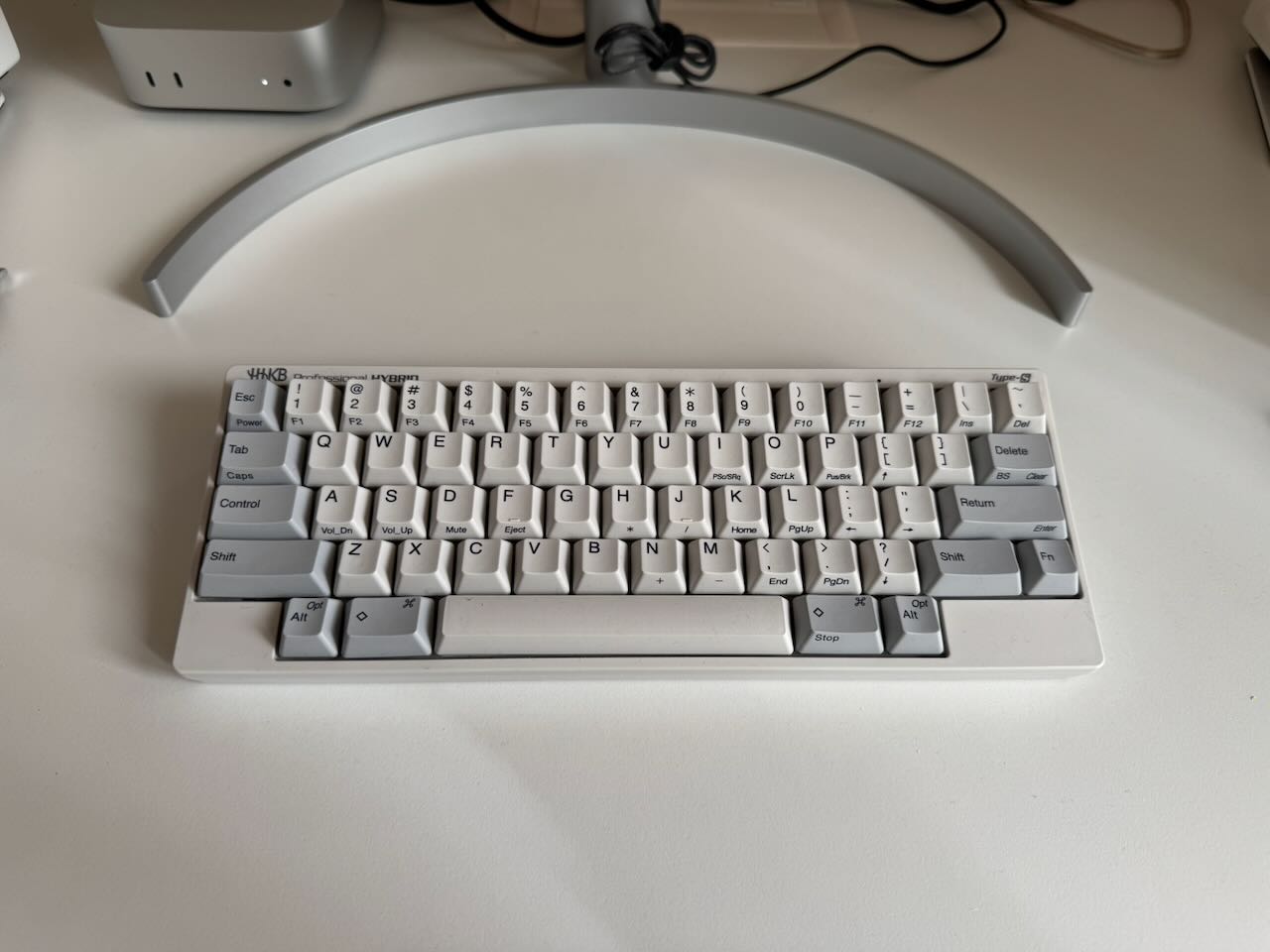 The HHKB Hybrid Type S – the object of today’s review.
Not to mention I’d been exposed to the HHKB hype for as long as I can remember. The keyboard has an almost cult-like following among programmers, especially in the Unix and Lisp communities. I’m honestly not sure why I went for the Leopold instead of the HHKB back in 2016 – the HHKB was definitely on my radar even then – but in hindsight the Leopold served me incredibly well. When I finally pulled the trigger on the HHKB Hybrid Type S in early 2025, I had sky-high expectations.
I got it in early 2025, so now I’ve had it for over a year. I deliberately avoided writing about it earlier – I think it’s important to live with a piece of hardware for a good while before passing judgment, especially when there’s an adjustment period involved. So let’s dig in.
What I Like
Looks. The HHKB is a handsome keyboard. The minimalist design, the clean lines, the elegant keycap legends – it’s a looker. I’d say it edges out the Leopold slightly in the aesthetics department, though the battery housing bump on the back is a bit of an eyesore. A minor quibble, though.
Weight. It’s impressively light and portable. Some people complain this makes it feel “cheap” since the body is essentially all plastic, but I appreciate being able to toss it in a bag without thinking twice.2
Keycaps and switches. The Topre experience is excellent, as expected. The keycaps are high quality PBT and the switches feel more or less identical to what I had on the Leopold. If you already know you love Topre, you’ll love the HHKB’s typing feel. The keys on the HHKB Type S are a bit quieter and lighter to press than those of the Leopold, but the difference is not big.
Control key placement. This is probably the one aspect of the HHKB’s unconventional layout that I actually love. Control sits right where Caps Lock is on a standard keyboard – exactly where it belongs. On every other keyboard I’ve ever owned, the first thing I’d do is remap Caps Lock to Control anyway, so it’s nice to have a keyboard that gets this right out of the box.
Multi-OS support. The HHKB natively supports Windows/Linux and macOS via DIP switches, so you can flip between operating systems without any software remapping. A small but welcome touch.
Wireless. Being able to pair with multiple devices via Bluetooth and switch between them is genuinely nice. No more cable clutter on the desk. That said, the wireless implementation comes with some significant caveats – more on that below.
What I Don’t Like
The layout. For a keyboard that markets itself as a “programmer’s keyboard,” some of the layout decisions are baffling. The tilde/backtick key is in a terrible position (top right corner, miles away from where your fingers expect it). For someone who lives in the terminal, that’s a real problem. I remapped it to the Escape key position almost immediately, since I don’t particularly care where Escape lives – I use a dual-mapping on Caps Lock (Control when held, Escape when tapped via Karabiner Elements).
The backslash placement is also awkward, and the Alt/Option keys are unnecessarily tiny even though there’s plenty of space to make them bigger. There’s no right Control key despite ample room for one (I compensate with a similar hold/tap mapping on the Return key). And the lack of dedicated arrow keys – while manageable when programming – is genuinely annoying in applications that make heavy use of them (browsers, document editors, Slack, etc.). I’ve mostly gotten used to using Fn+key combos for arrows, but I still miss the Leopold’s dedicated arrow keys on a regular basis.
The firmware. For such an expensive and supposedly premium product, the firmware feels primitive. You get basic key remapping and a few DIP switches, but it’s nothing compared to the power and flexibility of QMK or VIA that you’ll find on many keyboards at half the price. HHKB recently released firmware 2.0 with some interesting updates, but I haven’t had a chance to try it yet. In the meantime, Karabiner Elements does the heavy lifting for me – but I shouldn’t have to rely on third-party software to make a $300+ keyboard work the way I want.
Battery life. It’s mediocre at best, and the HHKB uses disposable AA batteries rather than a built-in rechargeable battery. In 2025. For a premium wireless keyboard. I’ll let that sink in.
The USB-C behavior. You’d think that plugging in a USB-C cable would automatically switch the keyboard to wired mode. Nope – you have to explicitly select the USB interface with Fn + Control + 0. It’s a minor annoyance, but it feels like an obvious UX miss. Oh, and for the price they’re charging, you’d expect them to include a USB-C cable in the box. They don’t.
The sleep/wake behavior. This is my single biggest complaint and the thing that still drives me up the wall a year later. To save battery, the keyboard goes to sleep after 30 minutes of inactivity – that’s perfectly reasonable. What’s not reasonable is that pressing a key doesn’t wake it up. You have to press the power button to bring it back to life. Every. Single. Time. I still don’t understand why it can’t auto-wake like virtually every other wireless keyboard on the market. You come back from a coffee break, start typing, and… nothing. Then you remember, reach for the power button, wait a second for it to reconnect, and then you can start typing. It’s a small thing, but it’s also extremely annoying.
Bluetooth reliability. A couple of times the HHKB simply stopped connecting to my computer and I had to re-pair it from scratch. In those moments wireless didn’t feel like a feature at all – you really can’t beat the simplicity and reliability of a wired connection.
HHKB vs. Leopold FC660C
Since I spent nearly a decade with the Leopold before switching, a direct comparison seems only fair.
The Leopold wins on layout, sturdiness, and typing feel. The 65% layout with dedicated arrow keys is simply more practical than the HHKB’s 60% layout for everyday use. The build quality feels more solid – you can tell the Leopold is heavier and more rigid. The typing feel is slightly better too – the keys have a bit more weight and a more satisfying thock. The Leopold also has a handy DIP switch that lets you make Escape output tilde/backtick by default (and you can always toggle between the two with Fn). On the HHKB, the secondary function of Escape is the rarely used Power key – a baffling choice.
The HHKB wins on overall aesthetics (nicer legends, cleaner color scheme), connectivity (USB-C and Bluetooth vs. the Leopold’s micro-USB and wired-only), noise level (the Type S is noticeably quieter), and the handy multimedia keys accessible via Fn. The HHKB also has a massive online community, which means plenty of custom keycaps, accessories, and fellow enthusiasts to geek out with.
I guess there are no wrong choices here – both are excellent Topre keyboards. But if Leopold ever releases an FC660C with USB-C and wireless, I’ll strongly consider getting one again.
The Verdict
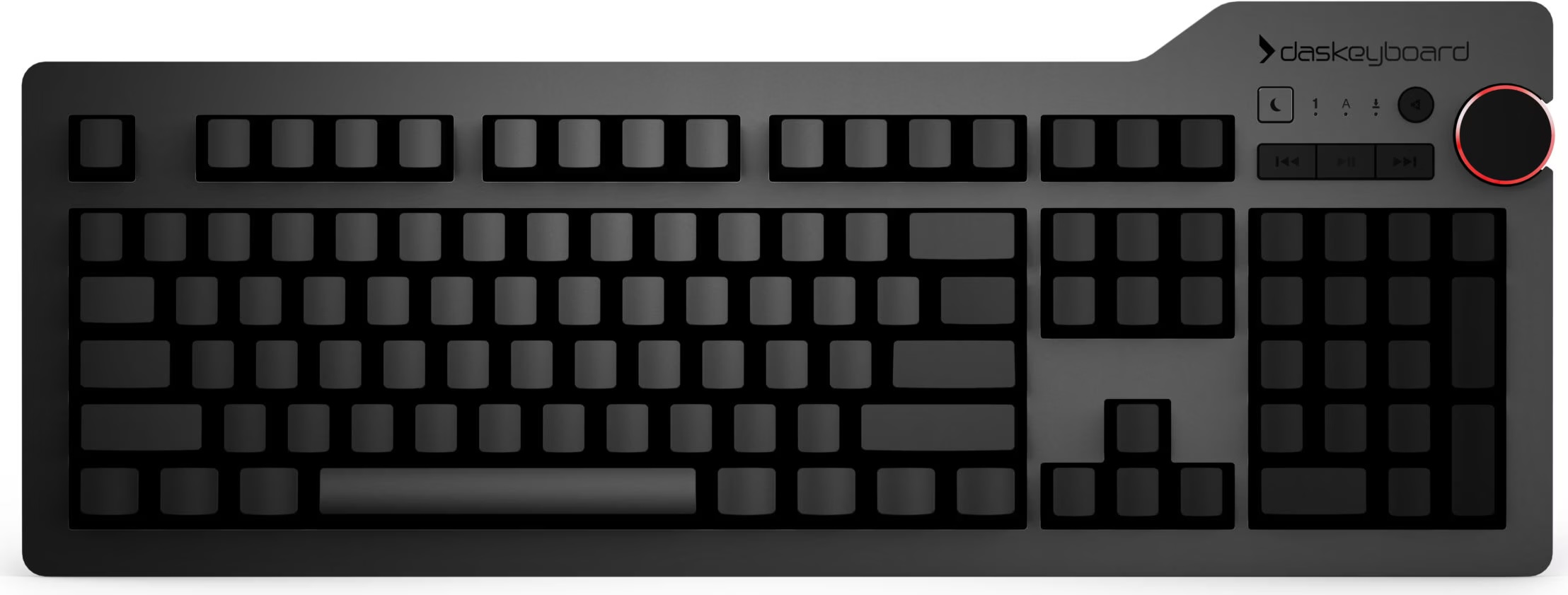 The Das Keyboard 4 – where it all started for me (well, almost). Big, loud, and proud.
So, is the HHKB the real deal, or is it mostly hype?
After a year of daily use, I’d say it’s… a bit of both. It’s a good keyboard – the typing feel is fantastic (because Topre), it looks great on a desk, and the wireless capability is genuinely useful despite its rough edges. But I wouldn’t say it offers much over other Topre keyboards. The layout quirks, the primitive firmware, the battery situation, and that maddening sleep/wake behavior all hold it back from being the definitive keyboard it’s often made out to be.
The fundamental problem is that there are so few Topre keyboards on the market that our options are extremely limited. For me it came down to either the HHKB or the Realforce R3 TKL. The Realforce has a better, more conventional layout for sure, but I didn’t love the aesthetics – it felt too big for what it offered, and visually it didn’t do much for me.3
Despite its shortcomings, the HHKB has grown on me. I don’t think my typing experience has actually improved compared to the Leopold, but my desk certainly looks a bit nicer and I always smile when I look down at it. Sometimes that’s enough. I hope this won’t be the last Topre keyboard from HHKB, and that down the road they’ll release a version that addresses some of my frustrations. But I won’t be upset if I end up typing on my current HHKB for a very long time.
If you have an HHKB or any other Topre keyboard, I’d love to hear about your experience in the comments. What do you love? What drives you crazy? Have you found clever workarounds for the layout quirks? And if you’re still on Cherry MX Blues… well, your co-workers would like a word with you.
That’s all I have for you today. Keep typing!